

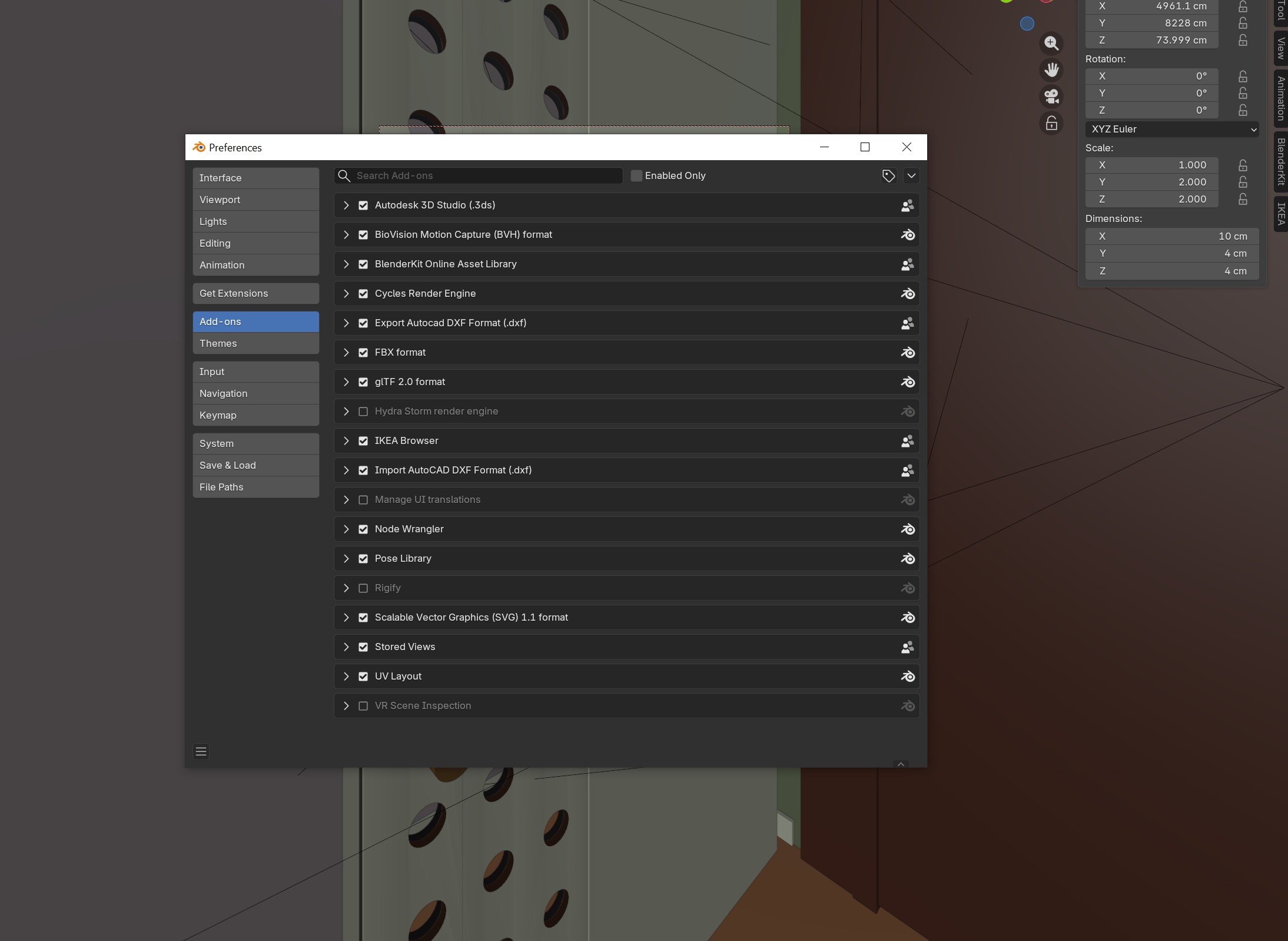
Add-ons and extensions can make the difference in your daily use of this software. So here there are my favourites!
how to install them
First of all how to install them? Very easy:
- open Blender
- open EDIT -> PREFERENCES
- CLICK ON ADD-ONS
- put the check on those you want
- CLICK ON GET EXTENSIONS
- install those you prefer or search for new ones
My favourites and why
- cycles render engine – the more photorealistic rendering engine
- node wrangler – to ease the use of shading, as suggested in this video link
- stored views -to save very easily your current view – see this video (ita) or this (eng)
- import-export dxf – very useful for Autocad compatibility – see also this article
- autodesk 3d Studio – to import 3ds files, very useful for ready models
- IKEA Browser – to import 3d models of all Ikea furniture… love it!!
- BlenderKit – your time-saver when you are on a rush – ready materials, ready models of objects, ready hdr… love it.
- bool tool – for boolean tools,click here
- edit mesh tools – for offset. Check this guide
- import image-plan – the possibility to add images as references for plans
What’s yours?
Leave them in the comments